Home, scan, bar split and a whole year of insights. Here’s everything TipOut does, straight from the app.
$389.00 card tips7.8 hrs on the clock−$47.31 tip-out$52.92/hr real hourly$1,981.75 this paycheckDay 10 of 14 pay period$15.00 cashTo the cent bar split$47,811.69 this yearSaturday best night$389.00 card tips7.8 hrs on the clock−$47.31 tip-out$52.92/hr real hourly$1,981.75 this paycheckDay 10 of 14 pay period$15.00 cashTo the cent bar split$47,811.69 this yearSaturday best night
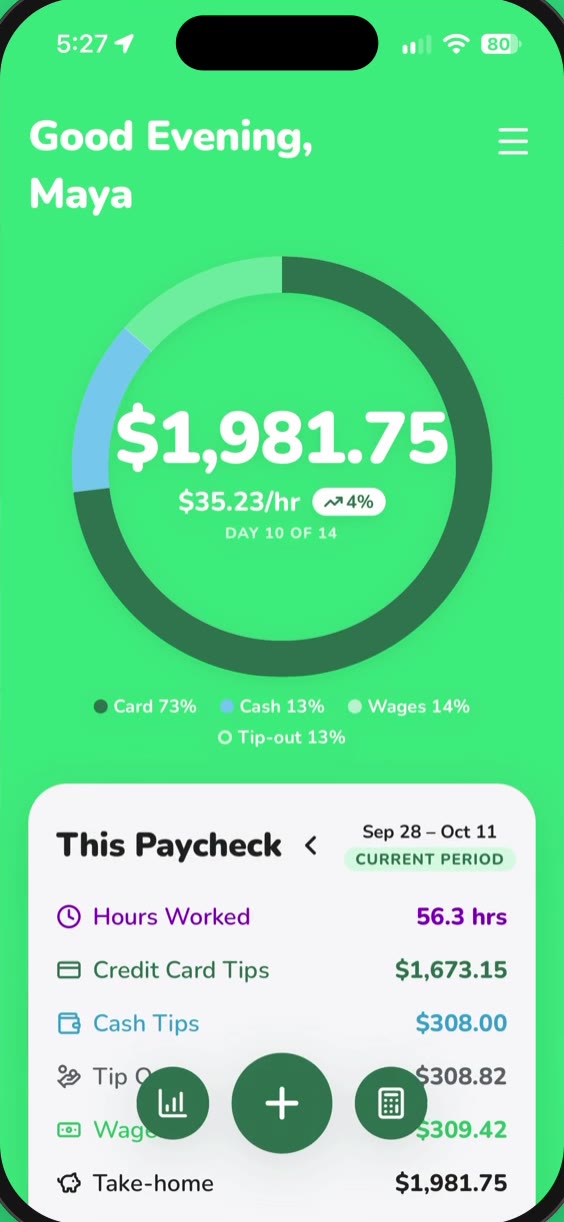
01 — HOME
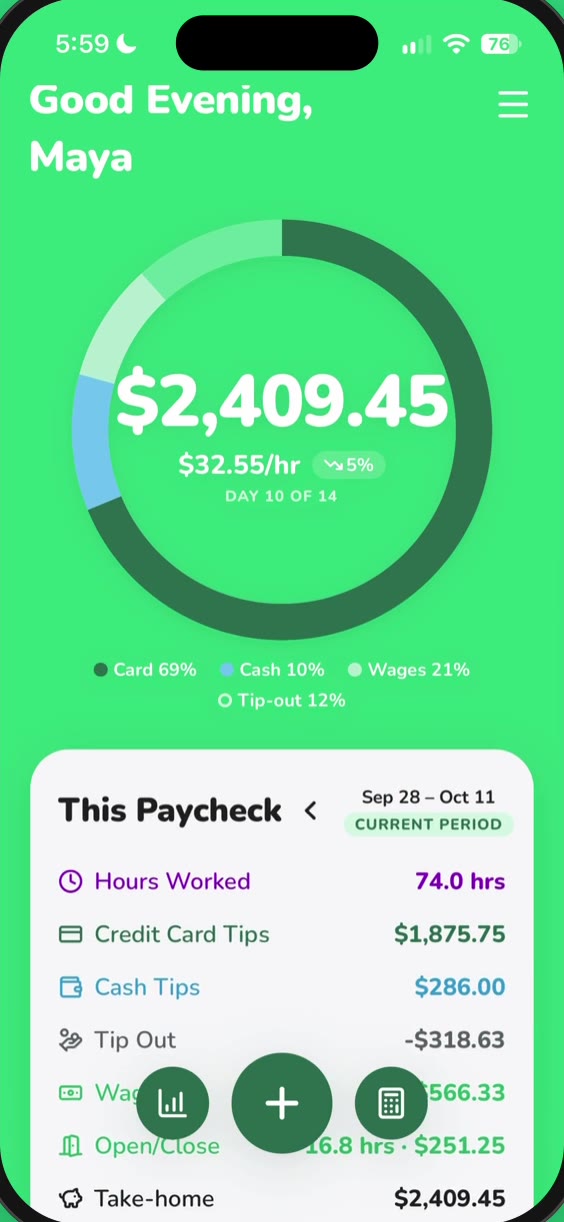
Your paycheck, live.
The ring fills as you log. Card tips, cash, wages and tip-out add up on your own pay schedule, so you always know where this paycheck stands.
Card and cash tracked separately
Weekly, every 2 weeks or twice a month
Day 10 of 14, at a glance
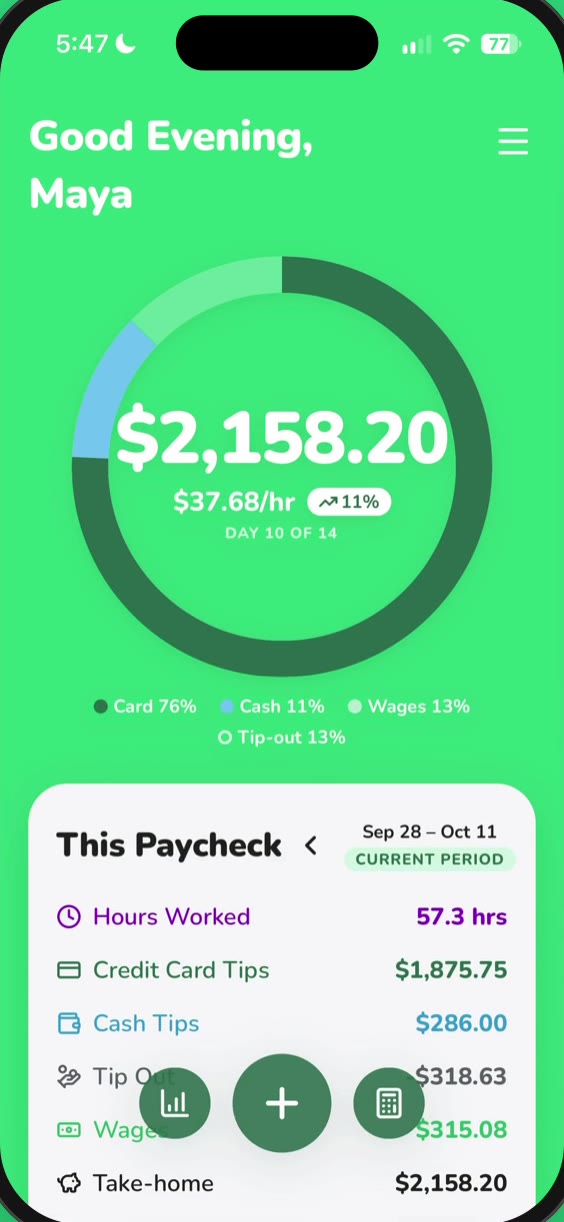
02 — PAYCHECK
Every shift, day by day.
Log a shift in seconds by hours or clock-in and clock-out times. Scroll back through the paycheck one day at a time and see what each night added.
Hours or clock-in times
Average hourly for every day
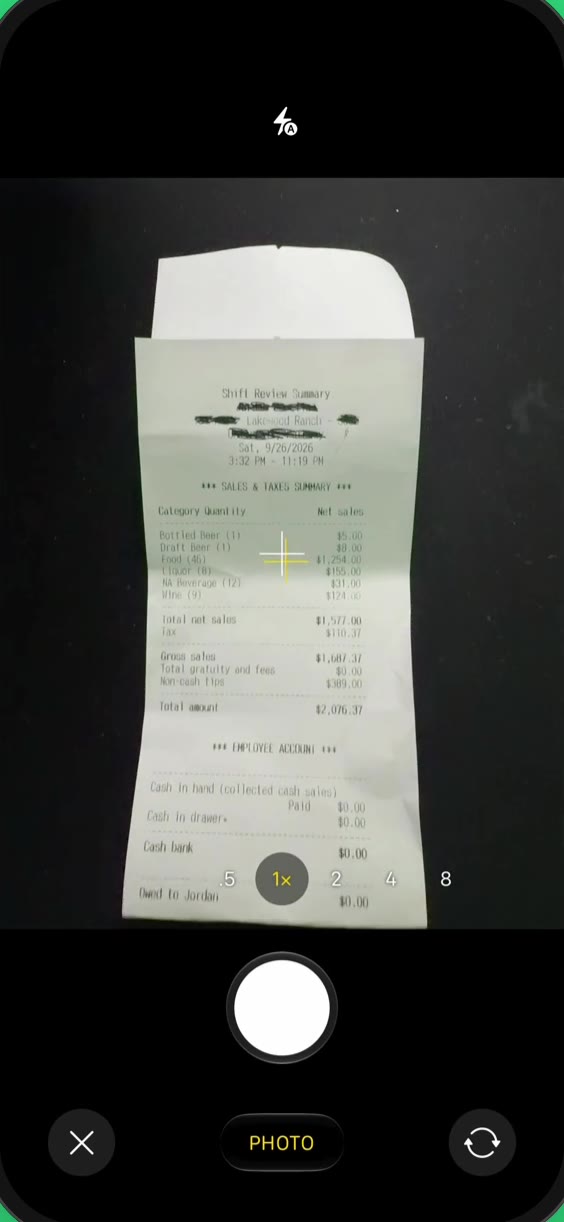
03 — SCAN
Snap your checkout.
Take a photo of your checkout and TipOut reads the card tips, sales and tip-out. The first time, tell it which line is which. You always check the numbers before saving.
Long checkout? Scan the top half, then the bottom
Photos are never stored
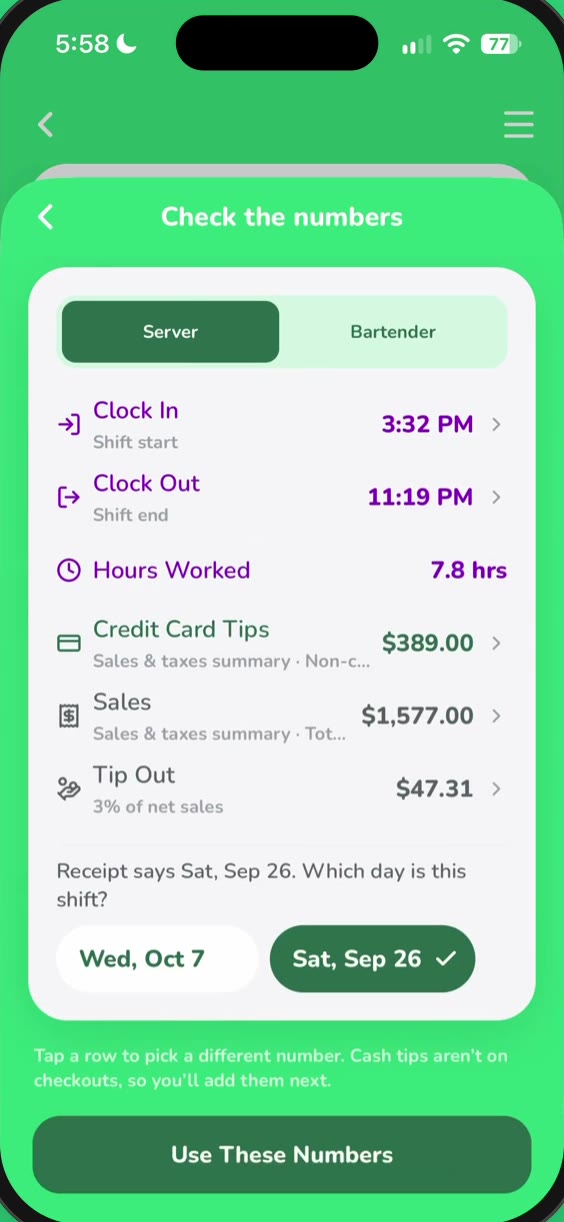
04 — RESCAN
It remembers your receipt.
Same checkout every shift? After the first scan, TipOut knows your layout. Snap it, check it, and your paycheck updates. No setup the second time.
Fills itself in after the first scan
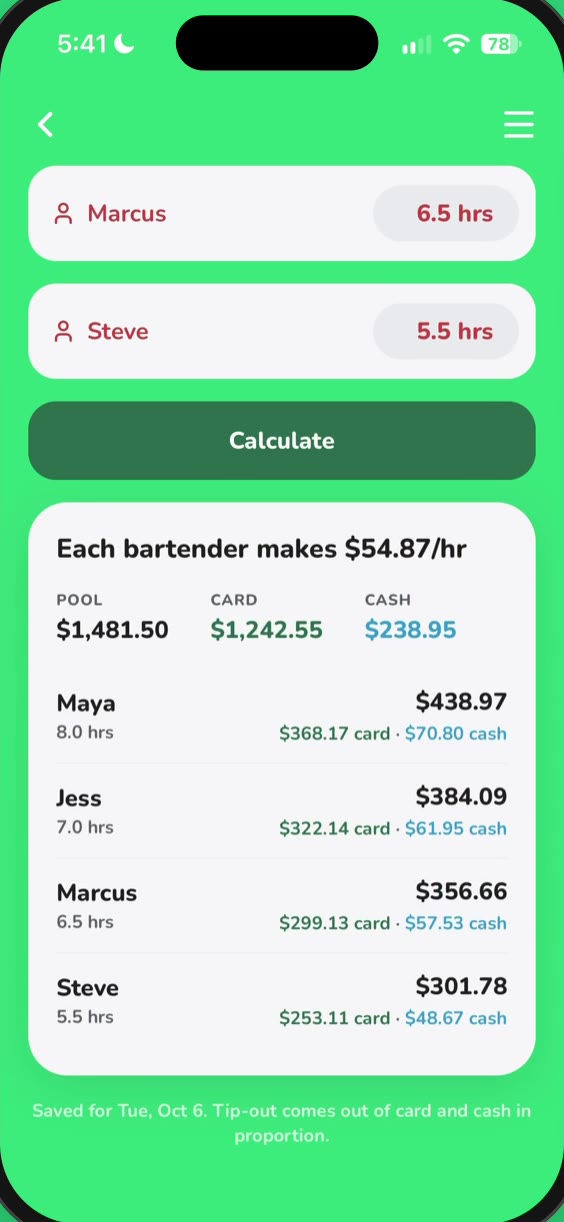
05 — BAR SPLIT
Pool tips by hours.
Enter the night once, add everyone’s hours, and TipOut splits card and cash to the cent. Tip-out comes out in proportion. No calculator, no arguments.
Split by hours worked
Card and cash add up exactly to the pool
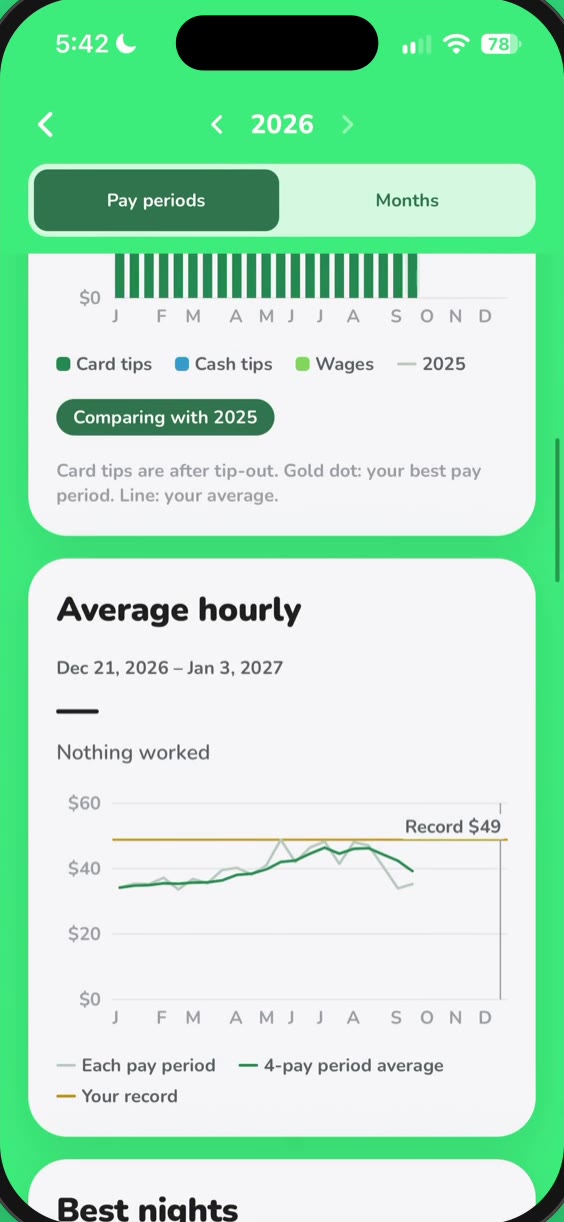
06 — REAL HOURLY
The number that matters.
Tips look big until you divide by the hours. TipOut shows your real hourly per shift, per paycheck and per year, with tip-out out and wages in.
Trend line across your pay periods
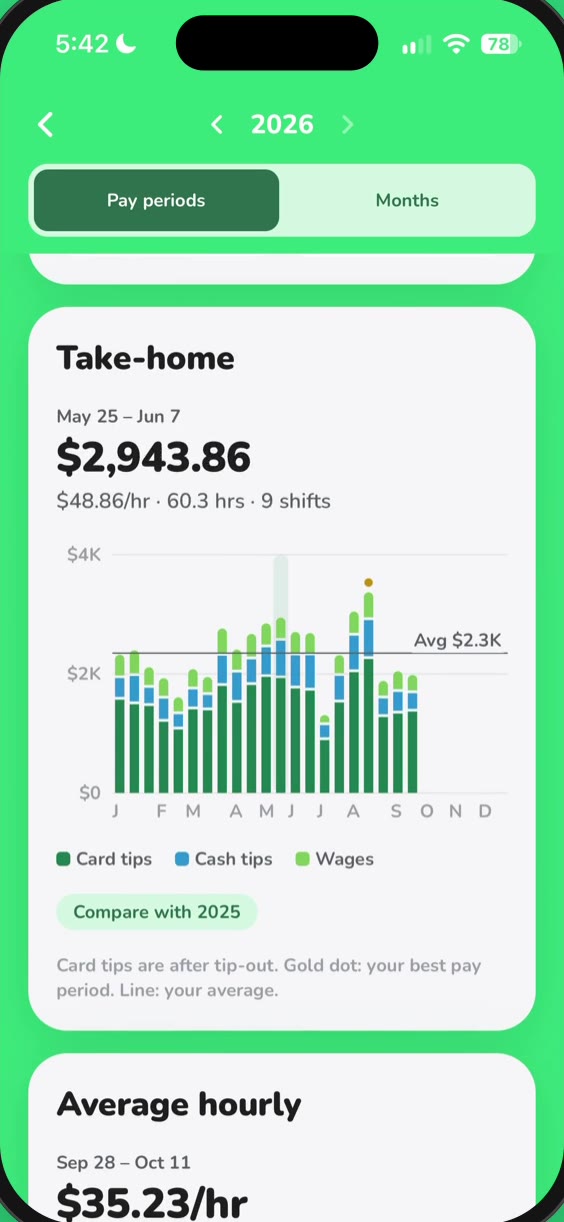
07 — INSIGHTS
Your whole year.
Take-home so far, every paycheck charted side by side, and last year right there to compare. Spot your record hourly.
Every paycheck, charted
Flip back to last year
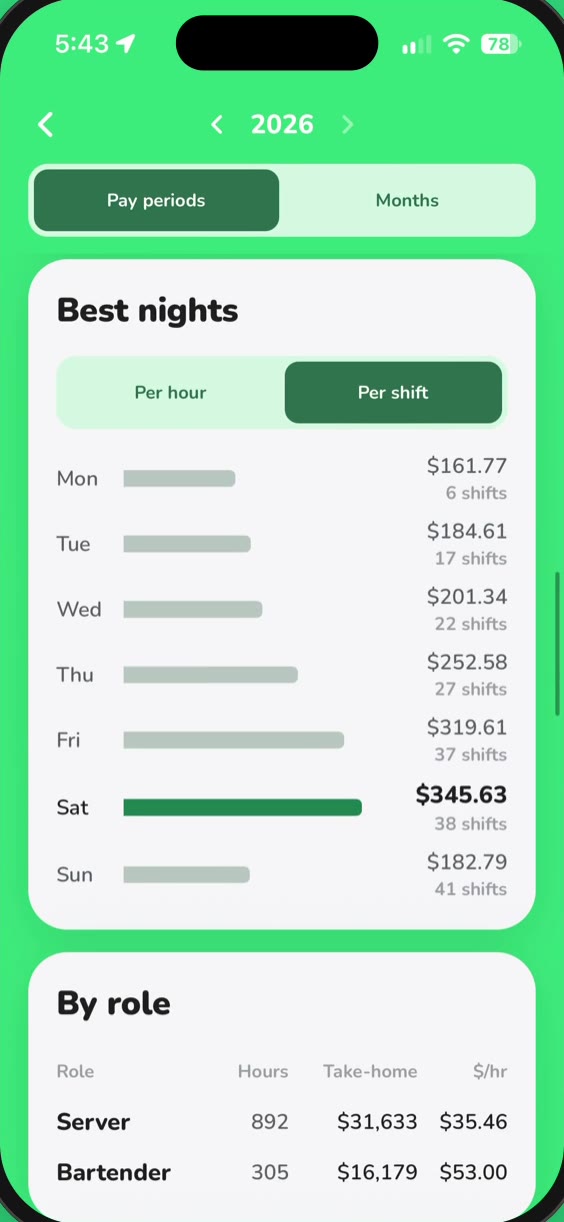
08 — BEST NIGHTS
Which night pays best?
Rank your nights per hour or per shift, compare server and bartender shifts, and tap any day on the calendar to see what you made.
A calendar of every shift
Server vs. bartender
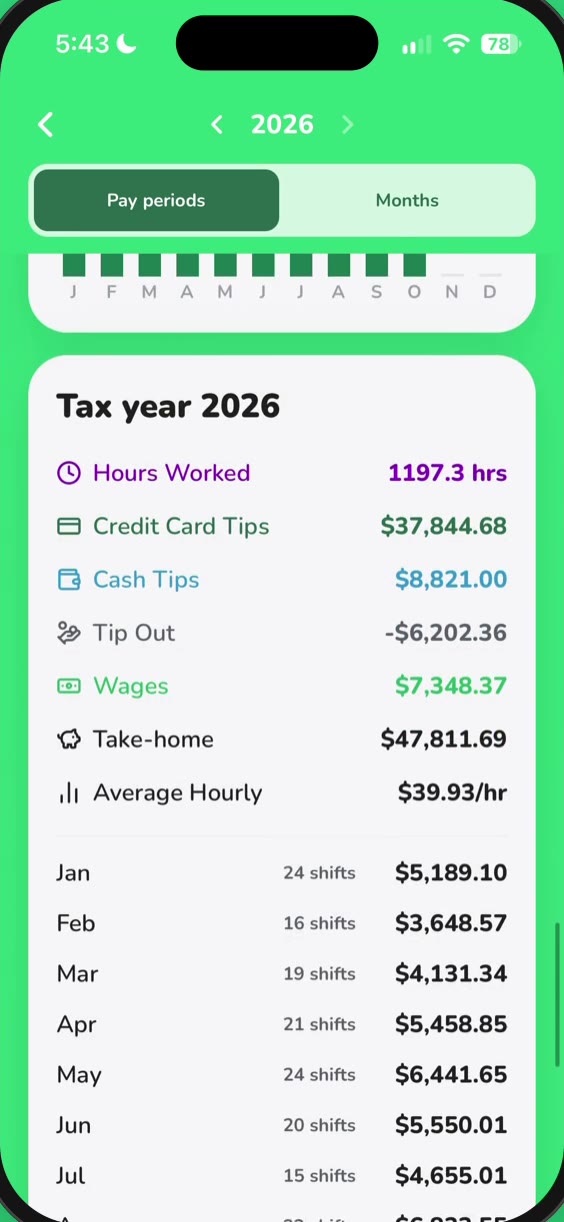
09 — TAX
Ready for tax season.
Your tips, tip-out and take-home, month by month for the tax year, and a one-tap CSV export when it’s time to file.
Export your year as CSV
10 — OPEN / CLOSE
Paid to open or close?
Turn on Open/Close hours, enter your time card, and TipOut adds the extra hours to your paycheck at your rate.
Extra hours, paid at your rate
And also
The details that add up.
Bar split
$0.01
Split to the cent.
Everyone’s card and cash add up exactly to the pool. Tip-out comes out in proportion.
Hours or clock times
Enter hours worked or your real clock-in and clock-out.
Your pay schedule
Weekly, every 2 weeks or twice a month, starting when yours does.
No ads. No tracking.
No analytics or ad tools. Your data is never sold or shared.
Photos never stored
Only the numbers you confirm are saved. The receipt photo isn’t kept.
Open / Close hours
Paid extra to open or close? It lands on your paycheck.
One-tap CSV
Export your year when it’s time to do taxes.
Sign in with Apple
Or email. Your shifts stay with your account.
Free to download. Pro when you want more scans.
Every account can log shifts, split the bar and see insights. Free accounts get 10 receipt scans a month. TipOut Pro, monthly or yearly, includes up to 200, and one-time scan packs are there if you need extra.
Launch day · Mon, Oct 26
Out now · iPhone
TipOut lands on the App Store Monday.
TipOut is on the App Store.
Built for servers and bartenders who want to know what their shifts are actually worth. Free to download.